Demo
A message sent in a conversation, the change verified, the site updated — recorded from start to finish.
Real recording, unedited result: the conversation on the left, the site on the right. The video is sped up; in real conditions the update goes live in about a minute.
This change produced a real commit in the site’s repository.
Step by step
A second run of the same journey, in screenshots. It reads without sound and without the video.
- 01
The conversation opens
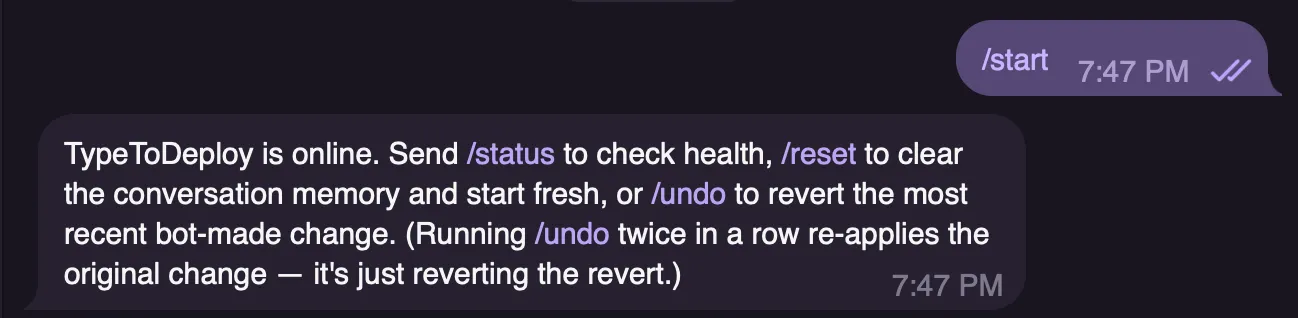 Command/startBot reply
TypeToDeploy reports that it is online and lists its commands: /status for service health, /reset to clear the conversation memory, /undo to revert the last change.
- 02
The service answers
 Command/statusBot reply
The bot confirms it is running and gives the time of the check.
Why it is hereThe person checks the service herself, without asking anyone.
- 03
The site before the request
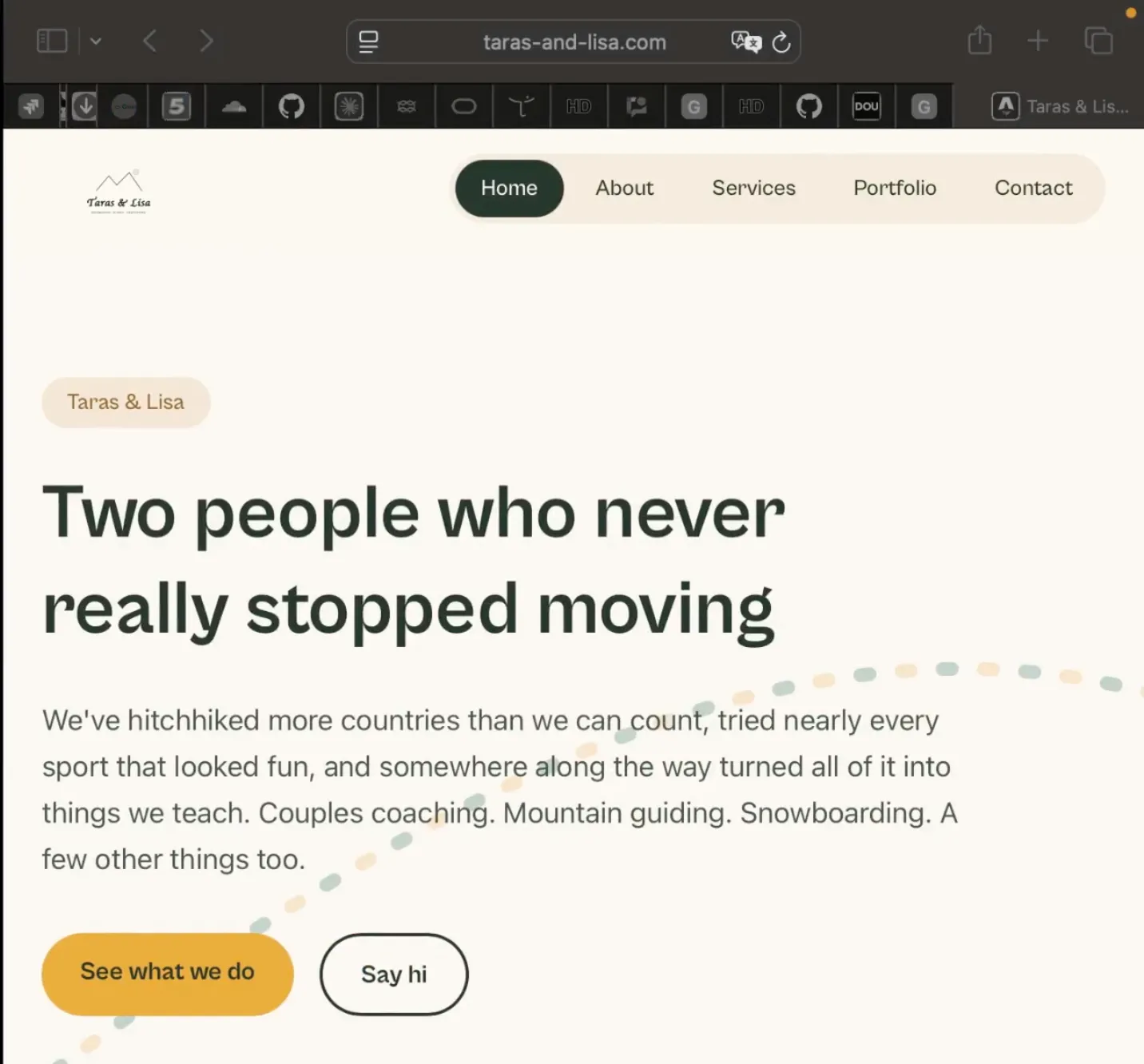 Screen
The live home page of taras-and-lisa.com.
What to look atThe headline and the intro paragraph contain no emoji.
- 04
The request is written, then applied
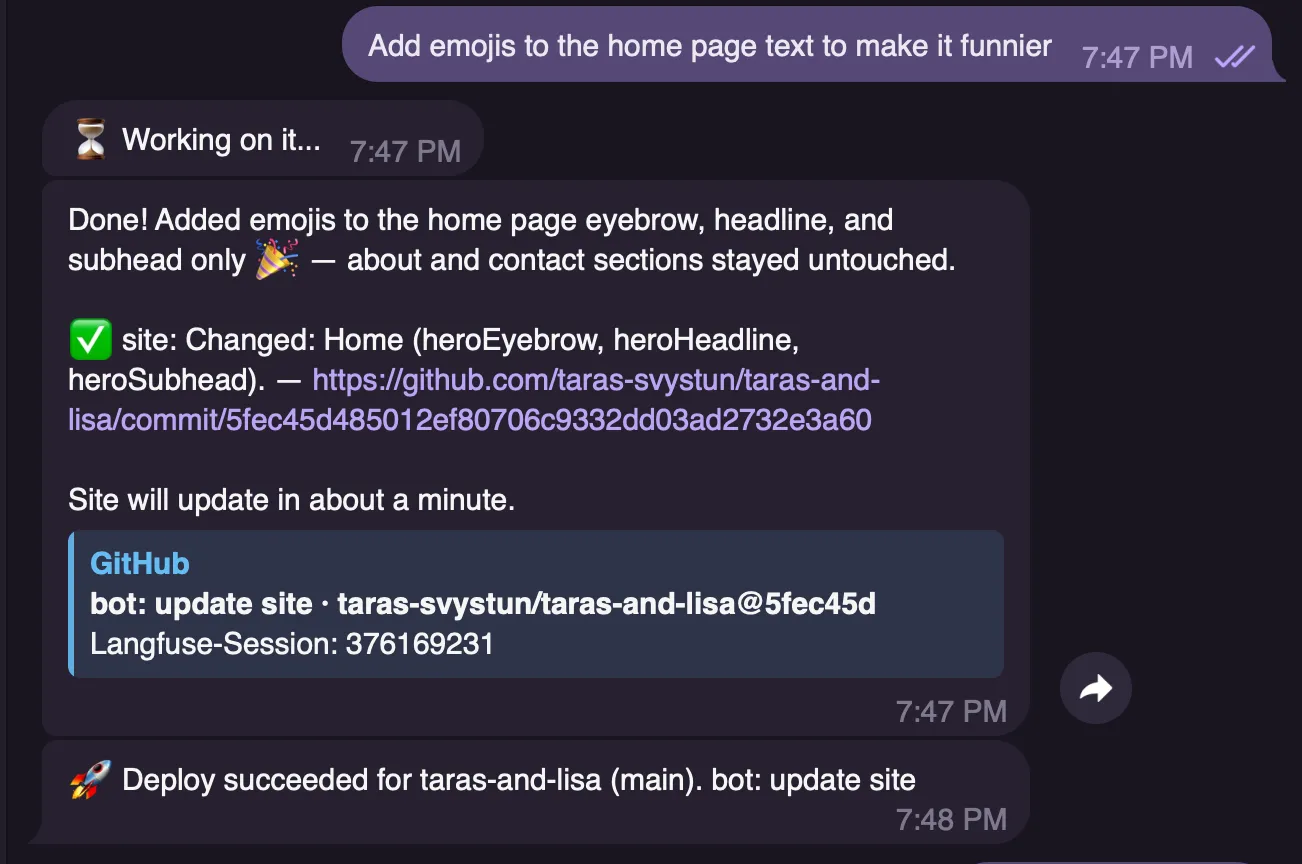 RequestAdd emojis to the home page text to make it funnierAgent action
The agent changes three home-page fields — heroEyebrow, heroHeadline, heroSubhead — writes a commit, then reports the deployment once the site is rebuilt.
Tracecommit 5fec45d · taras-svystun/taras-and-lisa
- 05
The site after deployment
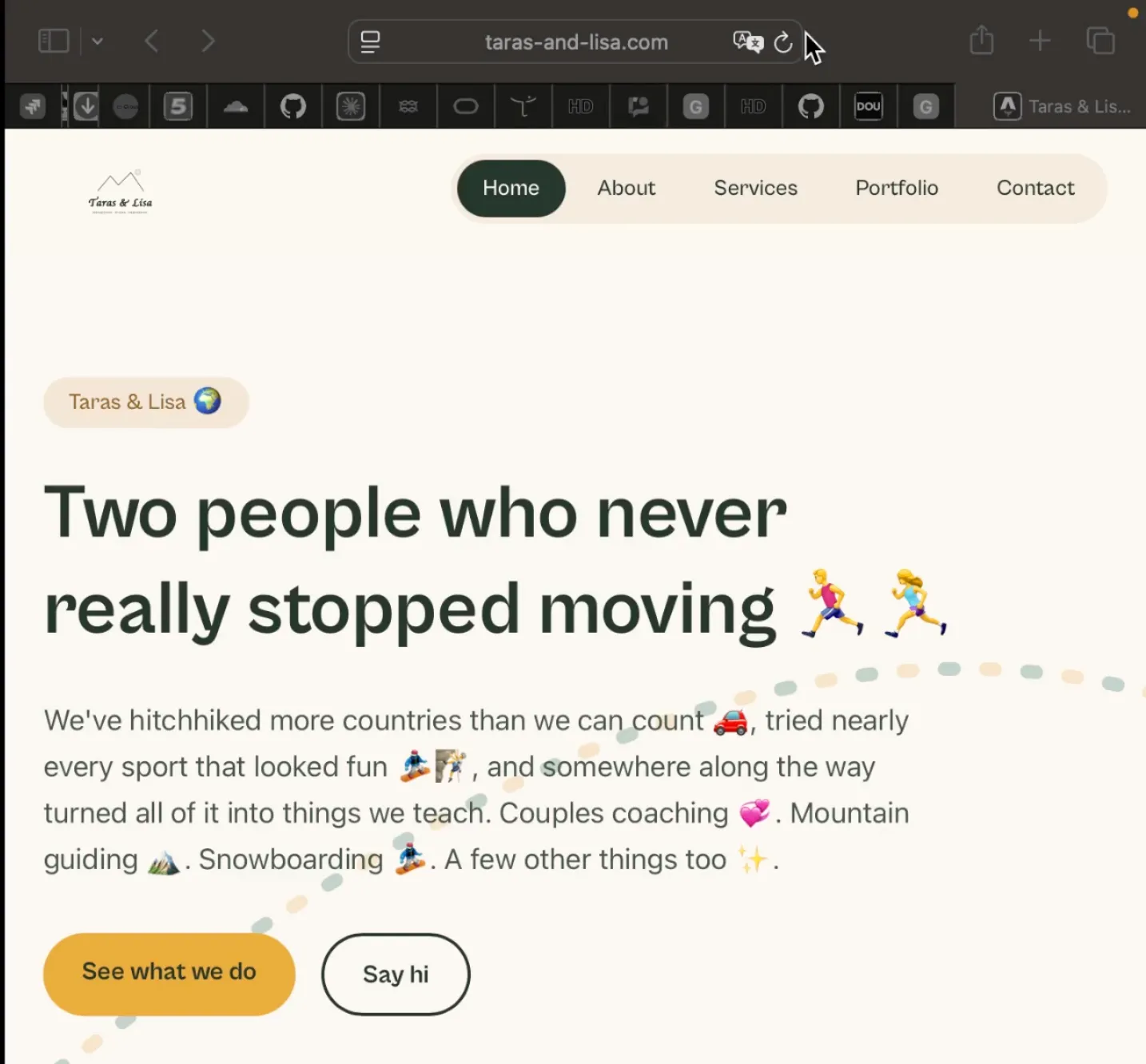 Screen
The same page, reloaded after publishing.
What to look atThe emojis are in the headline and the intro paragraph. What was typed in the conversation is visible on the public site.
- 06
The change is undone
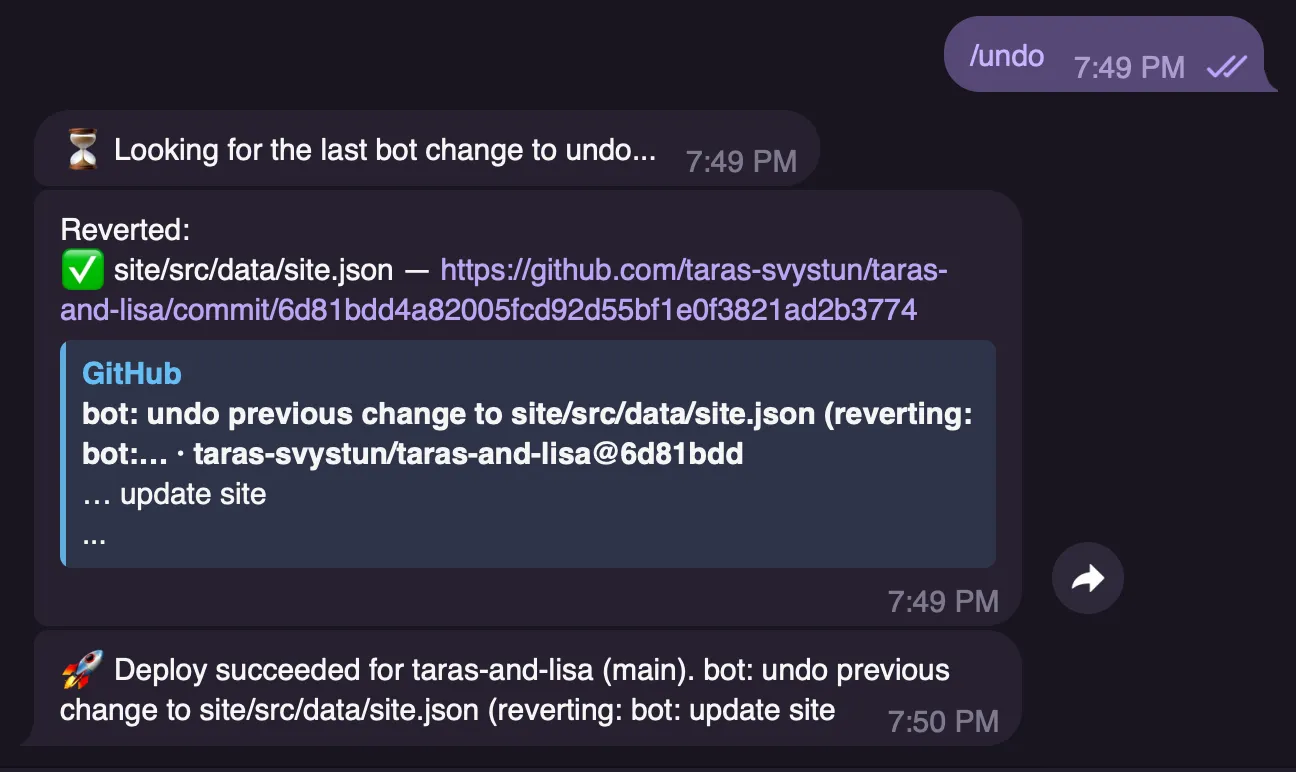 Command/undoAgent action
The bot finds its last change, reverts site/src/data/site.json, writes the revert commit and confirms the deployment.
Tracecommit 6d81bdd · taras-svystun/taras-and-lisa
- 07
The site returns to its previous state
ScreenThe home page after the undo.
What to look atThe emojis are gone. The content matches step 03.


Current limits of this demo
What the system cannot do yet, as of this recording.
- The agent edits structured content. It does not change site structure or layout.
- The tool works on a site built for it. Connecting an existing site is not possible yet.
- One person uses the tool today, on one production site.
The rest of the project — what is built, what still needs validating — is on the home page.
Back to home